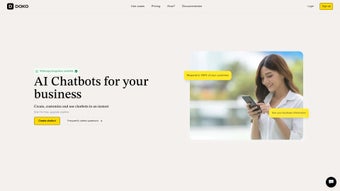

Download Doko AI – Easy Drag‑and‑Drop Chatbot Builder for Windows, Mac, Android & iOS
Overview
Doko AI is a cloud‑based chatbot creation platform that promises to make bot development effortless for anyone—from seasoned developers to absolute beginners. Powered by a visual drag‑and‑drop editor, the tool eliminates the need for hand‑coded scripts, allowing users to design conversational flows in a matter of minutes. Whether you need a customer‑service assistant, a lead‑generation bot, or an automated sales agent, Doko AI’s flexible architecture adapts to a wide range of business scenarios.
One of the standout attributes of Doko AI is its multilingual support; the platform can handle dozens of languages, making it an excellent fit for global enterprises that must engage audiences across borders. The intuitive UI, combined with extensive customization options—such as personality tweaking, response styling, and conditional logic—ensures that the bots you build are not only functional but also feel genuinely human. Security is baked into the service, with end‑to‑end encryption and regular updates that keep your data safe and compliant with GDPR, CCPA, and other regulations.
Doko AI also offers a template library that accelerates the launch of common use‑cases like FAQ bots, appointment schedulers, and e‑commerce assistants. In addition, the platform’s analytics dashboard provides real‑time insights into user interactions, allowing marketers to fine‑tune conversation paths for higher conversion rates. By consolidating design, deployment, and monitoring into a single cloud environment, Doko AI reduces the total cost of ownership compared with traditional on‑premise chatbot solutions.
In short, Doko AI positions itself as the go‑to solution for businesses looking to boost engagement, reduce support costs, and automate routine interactions without the overhead of custom development cycles.
Key Features that Set Doko AI Apart
- Drag‑and‑Drop Builder: Construct conversation trees visually; no code required.
- Multilingual Engine: Supports over 30 languages, with automatic language detection.
- Customizable Personality: Adjust tone, style, and avatar to match brand voice.
- Integrations & Webhooks: Connect to CRM, email marketing, payment gateways, and more.
- Analytics Dashboard: Real‑time insights on user interactions, conversion rates, and drop‑off points.
- AI‑Powered Intent Recognition: Built‑in natural language processing to understand user intent.
- Secure Hosting: GDPR‑compliant data storage with SSL encryption.
- Template Library: Ready‑made bot templates for support, sales, FAQs, and onboarding.
- Version Control: Save multiple bot versions and roll back with a single click.
- Responsive Deployment: Publish bots on websites, Facebook Messenger, WhatsApp, and mobile apps.
Each feature is designed to reduce friction and accelerate time‑to‑value. The drag‑and‑drop interface is responsive, meaning you can work on a laptop, tablet, or even a smartphone without losing functionality. Multilingual support isn’t just a translation overlay; Doko AI leverages language‑specific NLP models to maintain conversational relevance in each market.
The analytics suite offers heatmaps of conversation paths, helping you pinpoint where users get stuck and where you can improve conversion funnels. Integration options cover popular platforms like HubSpot, Salesforce, Zapier, and Stripe, so you can seamlessly sync bot data with existing workflows. All of these capabilities are packaged in a secure, cloud‑first environment that receives automatic updates, ensuring you always have the latest features without manual patches.
For teams that require governance, role‑based access control lets administrators define who can edit, publish, or view analytics, preserving both flexibility and compliance. Whether you’re a solo entrepreneur or part of a multinational corporation, Doko AI scales with your needs while keeping the learning curve shallow.
Installation, Usage Instructions & Compatibility
Because Doko AI is a web‑application, there is no traditional “installation” process. Getting started is as simple as visiting the official website, creating a free account, and launching the builder directly in your browser. The platform supports all modern browsers—Chrome, Edge, Firefox, and Safari—on both desktop and mobile operating systems. For teams that prefer a more controlled environment, Doko AI also offers a downloadable desktop client for Windows 10/11 and macOS Monterey and later. The client provides offline editing capabilities, syncing changes once you reconnect to the internet.
Step‑by‑Step Onboarding
- Sign Up: Click “Get Started” on the homepage, enter your email, and verify your account.
- Select a Template: Choose a pre‑built bot template that matches your use case (e.g., Support, Lead Capture).
- Design the Flow: Drag nodes onto the canvas, define user intents, and assign bot responses.
- Configure Integrations: Connect to your CRM or email service via the integration panel.
- Test in Real Time: Use the built‑in simulator to converse with your bot and fine‑tune responses.
- Publish: Deploy the bot to your website using a one‑line JavaScript snippet or embed it in messenger platforms.
Supported Operating Systems: Windows 10/11, macOS Monterey+, Linux (via browser), Android 8.0+ (mobile browser), iOS 13+ (Safari/Chrome). The responsive design ensures a consistent experience across all devices, and the optional desktop client guarantees that power users on Windows or Mac can benefit from native shortcuts and local file handling.
Doko AI also provides comprehensive documentation, video tutorials, and a community forum where users can share best practices and troubleshoot issues. Because the platform updates automatically, you never have to worry about missing security patches or feature rollouts—everything happens behind the scenes, keeping your chatbot secure and up‑to‑date. Advanced users can also take advantage of the RESTful API to programmatically manage bots, retrieve analytics, or trigger webhook events, giving developers the flexibility to integrate Doko AI into custom CI/CD pipelines.
Pros, Cons, Frequently Asked Questions & Final Thoughts
- Pros:
- Intuitive drag‑and‑drop UI eliminates coding barriers.
- Robust multilingual support for global reach.
- Extensive integration library with popular SaaS tools.
- Real‑time analytics help optimize conversation flows.
- Secure, GDPR‑compliant hosting with automatic updates.
- Version control and template library accelerate development.
- Cons:
- Advanced AI intent tuning may require a learning curve.
- Free tier limits the number of monthly active users.
- Desktop client is optional; power users may miss offline features in the browser version.
- High‑volume enterprises might need a custom pricing plan.
Frequently Asked Questions (FAQ)
Is Doko AI truly free to use?
Doko AI offers a free tier that includes basic chatbot creation, up to 500 monthly active users, and access to standard templates. For larger volumes, advanced AI features, or premium integrations, you’ll need to upgrade to a paid plan.
Can I export my bot to another platform?
Yes. Doko AI allows you to export the bot’s JSON flow and integrate it with other chatbot frameworks via webhooks or direct API calls.
How does Doko AI handle data privacy?
All data is encrypted in transit (TLS) and at rest (AES‑256). The platform complies with GDPR, CCPA, and ISO‑27001 standards, and you can configure data retention policies to meet your organization’s requirements.
Do I need technical skills to create a multilingual bot?
No. Doko AI’s language selector automatically adapts the bot’s NLP model. You simply add translated responses in the editor, and the platform manages intent recognition for each language.
What kind of support does Doko AI provide?
Support options include a knowledge base, video tutorials, community forum, and 24/7 email chat for premium subscribers. Free users have access to community‑driven help and limited email support.
Conclusion – Should You Download Doko AI?
Doko AI delivers on its promise of “effortless chatbot creation” by providing a powerful yet accessible platform that bridges the gap between non‑technical users and sophisticated AI capabilities. Its drag‑and‑drop interface, multilingual engine, and deep integration ecosystem make it a compelling option for businesses of all sizes that want to automate conversations without the overhead of custom development. While the free tier may feel restrictive for high‑traffic deployments, the transparent pricing plans scale logically with usage, and the added security features give peace of mind for enterprises handling sensitive data. If you’re looking for a secure, regularly updated solution that can be deployed across web, mobile, and messaging channels, Doko AI deserves serious consideration.
Ready to experience the simplicity of building a bot in minutes? Download Doko AI now, start with a free template, and see how quickly you can boost customer engagement, capture leads, and automate routine tasks. Your next generation of conversational experiences is just a click away.



.png)



